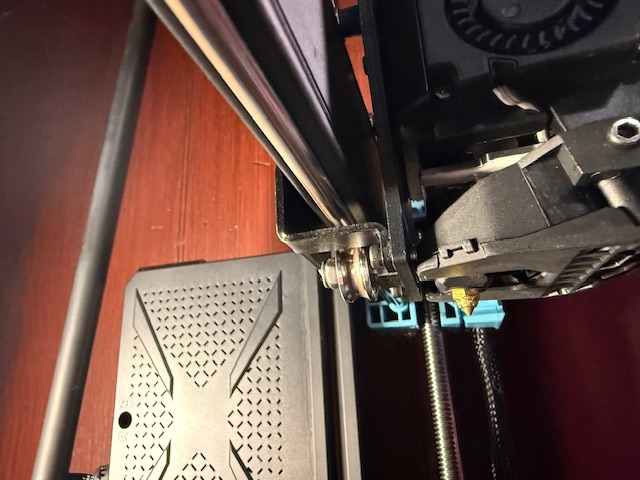
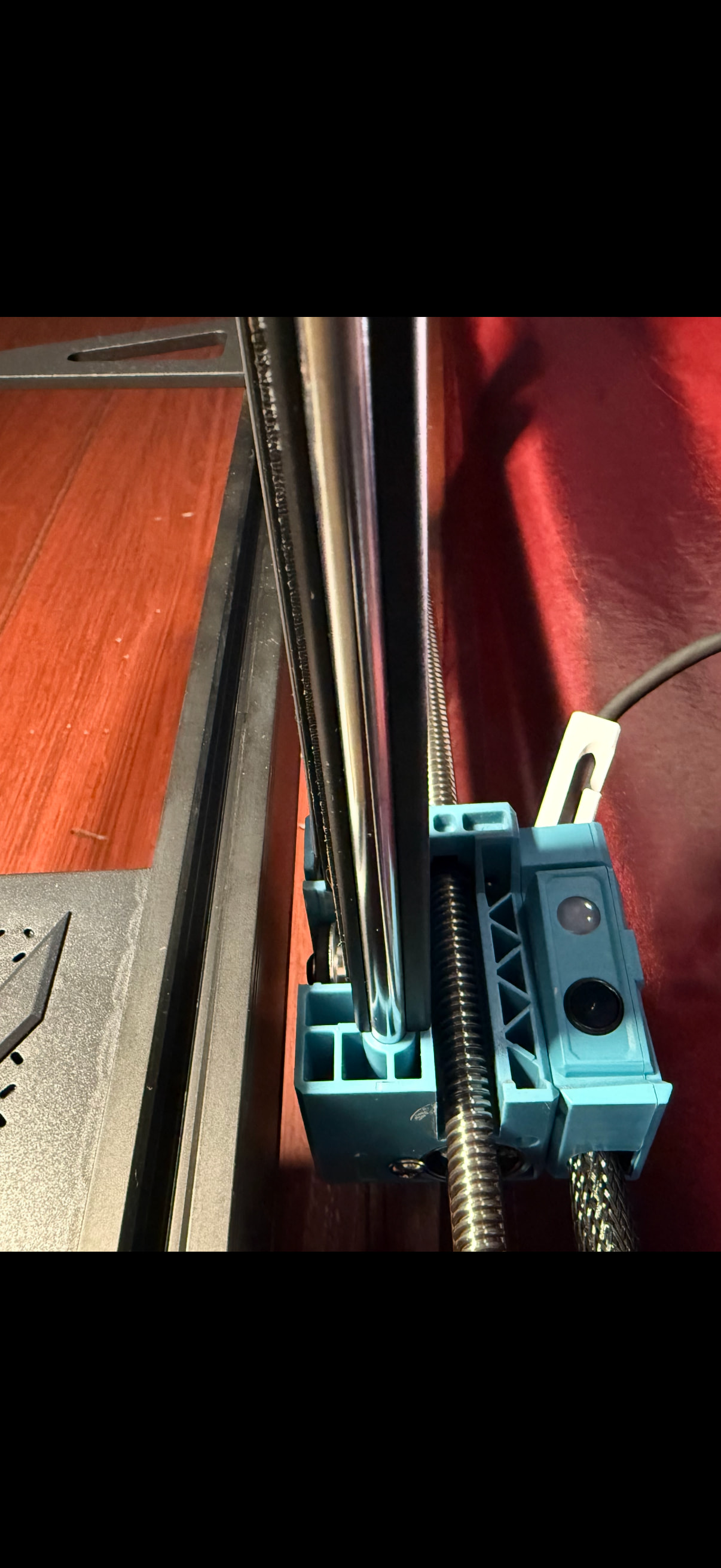
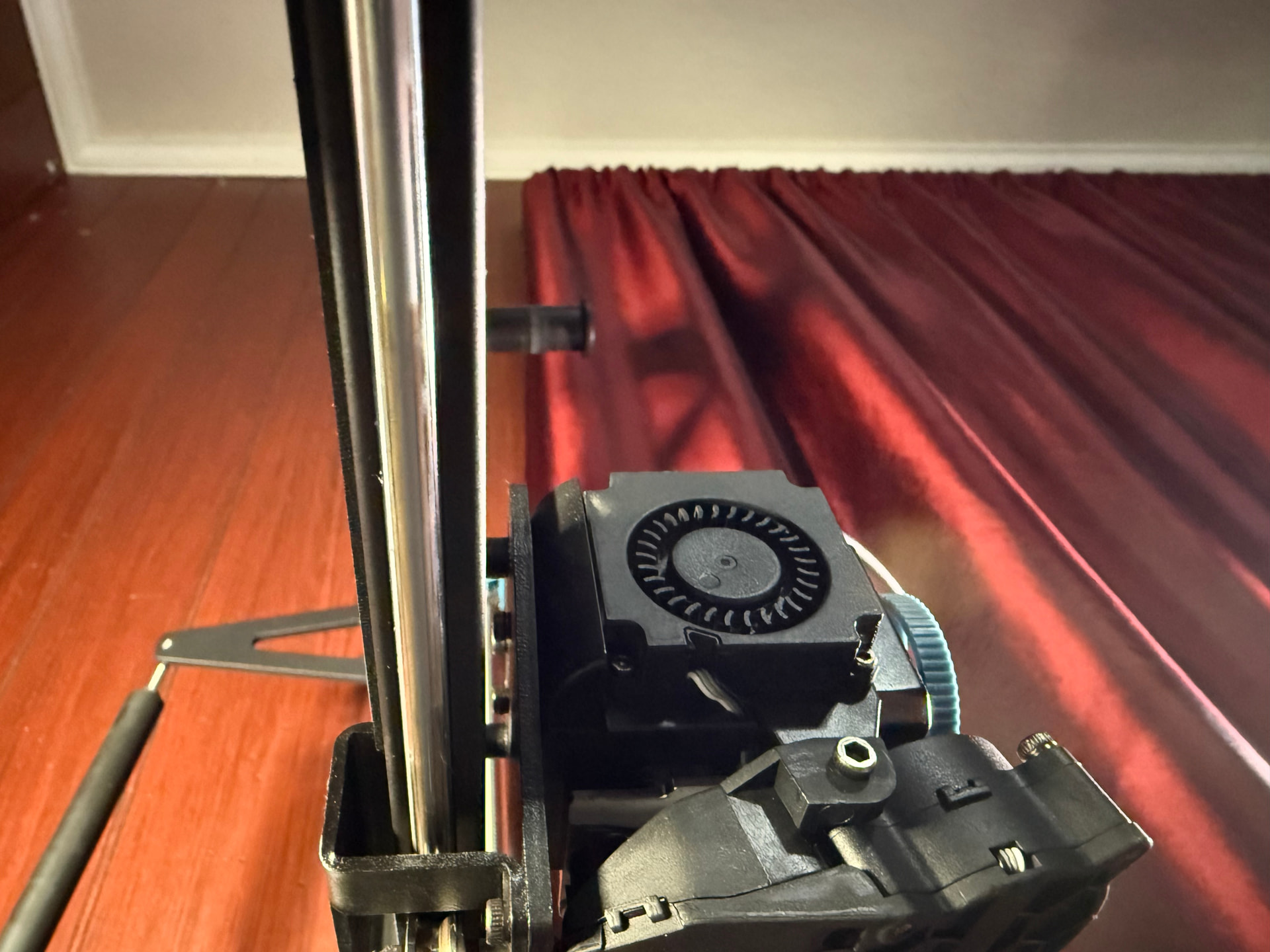
I’ve noticed a build up of brown dust on the x axis bottom rail of my sv06 plus ace, it’s only got around 50 hours on it as I just got it a couple weeks ago. The dust was falling on my prints so I cleaned it, and within minutes of starting the next print it was built up quite a lot and falling on the print again. I’m looking for the cause of and the solution to this.
Its only on the bottom rail and bottom roller, belt looks fine and is properly tensioned, the stepper motors look clean and operate normally. the roller does roll properly, not slide. No crazy noises when moving along the x axis except maybe when it goes very fast. I have some prints I need to do but I’ve stopped using it while I solve this for fear that it might cause any permanent damage.
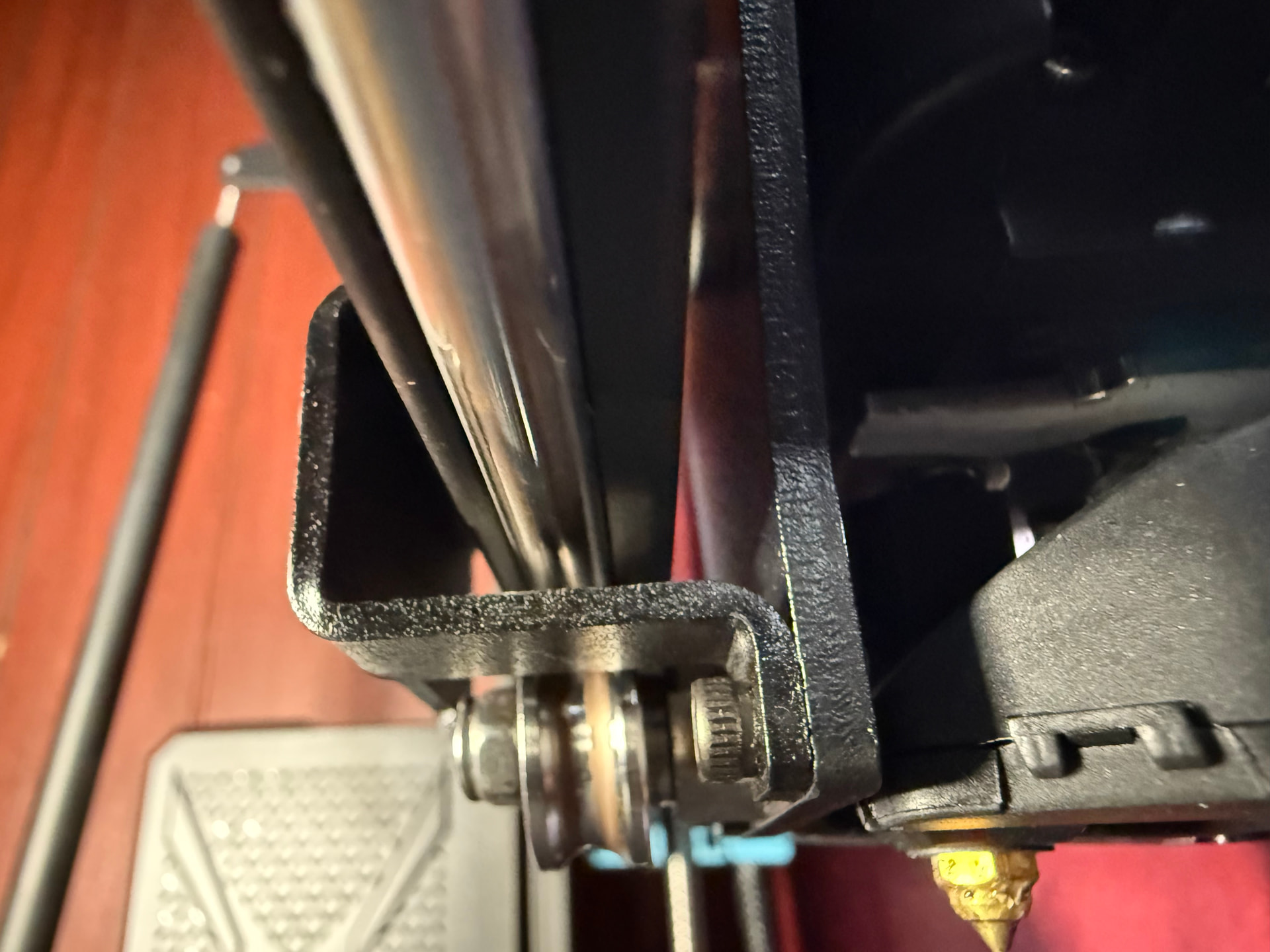
I’ve been googling all day trying to figure out the cause and solution. My best guess is the eccentric nut for the bottom roller, but its not seriously tight or the roller wouldn’t roll, and it’s definitely not loose. Maybe it just needs to be very slightly loosened? There are marks on the roller and rail, same color as the dust but won’t come off, in the form of lines running parallel to each other on each side of the bottom half of the rail, and the same markings on the roller. No indents yet, no deformation, rail still round, but I’m concerned that it’d wear down and need replacement if i keep printing like this. If it is the eccentric nut what is best practice to loosen. Other than that I’m very pleased with the printer and the quality of its prints.
Sorry if pics aren’t great, its hard to see on the rail in the pics but definitely visible on the roller. It’s hard to tell where it’s coming from, the roller maybe? As I said the motor and belt are clean and operating as expected. I thought it was just normal wear/dust build up until it did it again within a few minutes of starting the next print. Not something that was happening before, have done many prints with zero issue up until this two prints ago. Sorry for picture quality and thanks for your response.
No I haven’t lubed the x or y rails, I read somewhere else on this forum not to do that, to only lube the z. I’ve been googling about it and reading all day. My guess is the roller too, maybe the eccentric nut is just a hair too tight but not so much that it wont roll? The dust is absolutely no where else on the machine, just the bottom roller and rail of the x axis, it actually stops about 50mm from each side of the rail too, none near the motor or motor assembly. I clean the rail with microfiber and IPA and then roll the tool head back across and it’s immediately dirty again, and its not happening past the point where the roller can’t roll any further on each side, which leads me to believe its the roller. Apologies again for the crappy pictures, I’ll try again.
I’m not sure why you’d receive advice not to lubricate the rails. You don’t want them wet or greasy with oil or grease, but you need a film of lubricant on these metal parts. IPA removes all of the lubrication and you have metal on metal contact which causes wear, just like in the engine of a car. You don’t want metal on metal contact. You also want a thin film of lubricant to prevent rust. These are stainless rollers and rods, but there are different grades of stainless steel, and all stainless steel is “stain resistant”. That brown dust looks like mild surface rust.
I’d roll the extruder back and forth on the rails and see how it feels. It should feel smooth with minimal uniform drag. It shouldn’t feel dry, microscopically gritty, or jerky with more and less resistance to travel as the rollers roll over the rails. I’d then give the rails a light coating of a good quality grease and preferably a lightweight synthetic grease. Super Lube is good but there are many others. Coconut oil would work in a pinch and would be better than no lubrication at all. I don’t use WD-40 for this type of lubrication because it oxidizes and forms a gummy yellow substance. Move the tool head back and forth several times, then use a clean paper towel (I like the blue Scot towels because they’re low lint but disposable) to wipe the grease off the rail, run the tool head back and forth a few more times to transfer any grease on the rollers to the rails, and wipe again. That should remove the rust and any excess grease. I’d repeat the procedure for the Y axis. It sounds like a lot of work when meticulously described but it only takes a minute or two per axis.
Once a week, I’d push the X and Y axes to one end of travel, place a small dot of grease on each rail next to the roller, manually move the axes across their full travel several times, then lightly wipe down the rails to remove excess grease and any dust or other contaminates. You aren’t trying to wipe off all of the grease, just the excess grease, so a light wipe is all that’s needed.
Sorry to be so pedantic. No offense is intended when providing this much detail for such a seemingly simple task, but this is one of those cases where the details matter and it helps to know the goal - clean rails with a light film of lubricant to prevent oxidation and metal-on-metal wear.
No thank you for being detailed that’s what I’m here for. Is the white tube of metal grease that came with it good for that? I hope that’s all it needs, it’s been printing fine and going strong for many hours printing until the build up all the sudden the the last two prints. I don’t want to cause any permanent damage so I stopped printing after that. I don’t see why it’d have an eccentric nut or pulley/belt problem now all of a sudden after several tens of hours printing. This would make the most sense, but want to make sure it gets a proper fix and not a band aid that’ll have it in worse shape down the line. I read the don’t grease x or y rails bit on another topic about sv06 plus ace maintenance on here. Sounded odd the me too but I’m not expert. Thanks again, if the metal grease that came with it isn’t best I have some sewing machine oil too.
In my previous verbose post, I had intended to mention what the Chinese manufacturers usually refer to as “tube grease” - that small tube of grease that ships with many printers. It’s included to lubricate the motion system. Use sparingly. You only want a thin film of grease on the moving parts.
You were wise to suspend printing until you determined the cause of the brown dust. That clearly indicates some excessive wear is happening. Hopefully you won’t see it after lubricating the rollers and rails.
I’d wipe clean then lubricate each axis, roll it throughout the full range of motion and wipe clean again twice the first time to eliminate the rust. After that, I’d do that same procedure only once on a regular basis to maintain the motion control system. Manufacturers typically specify doing this weekly, and that would probably be a good idea for print farms that operate continuously. I usually clean and lube the motion control system every month or two for printers that are used intermittently in a clean office environment.
This was it. Did exactly as you described, cleaned, greased, rolled back and forth, cleaned again. Did add a second very light touch of grease after the second cleaning, as the first grease application collected all the remaining dust so I wiped most all of it off on the second clean. Now it’s got a nice even film of grease over it, and after a test print the light oxidation that was still on the surface of the rail appears to be gone. Was just oxidation.
Had a feeling it wasn’t the eccentric nut, because I don’t imagine it would have waited for 50 hours of fine printing to be too tight all the sudden, and the belt is clearly in fine shape and properly tensioned. I just wanted to be sure.
Thanks for the help, hopefully anyone that has this issue in the future will find this and save themselves some time.