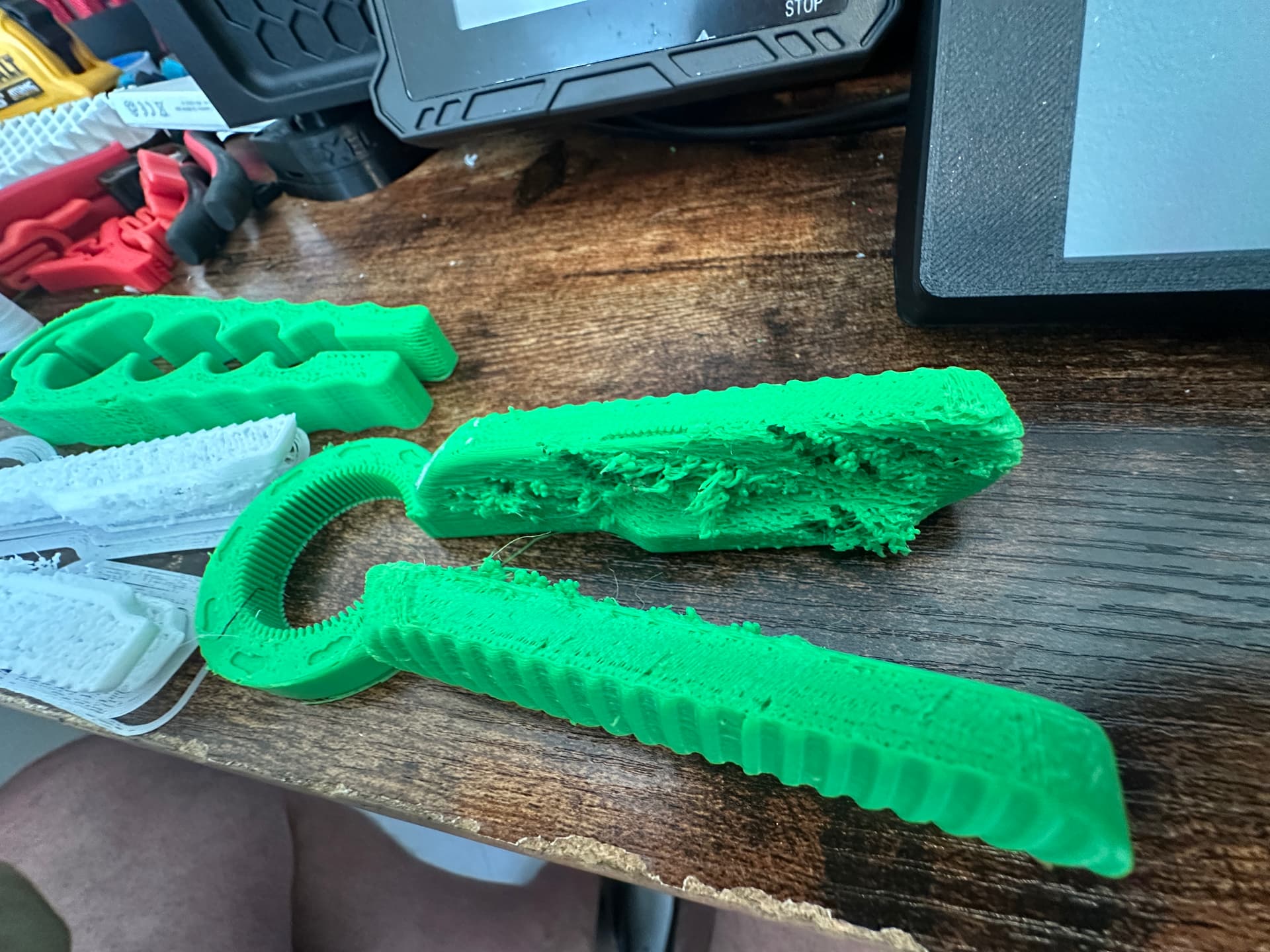
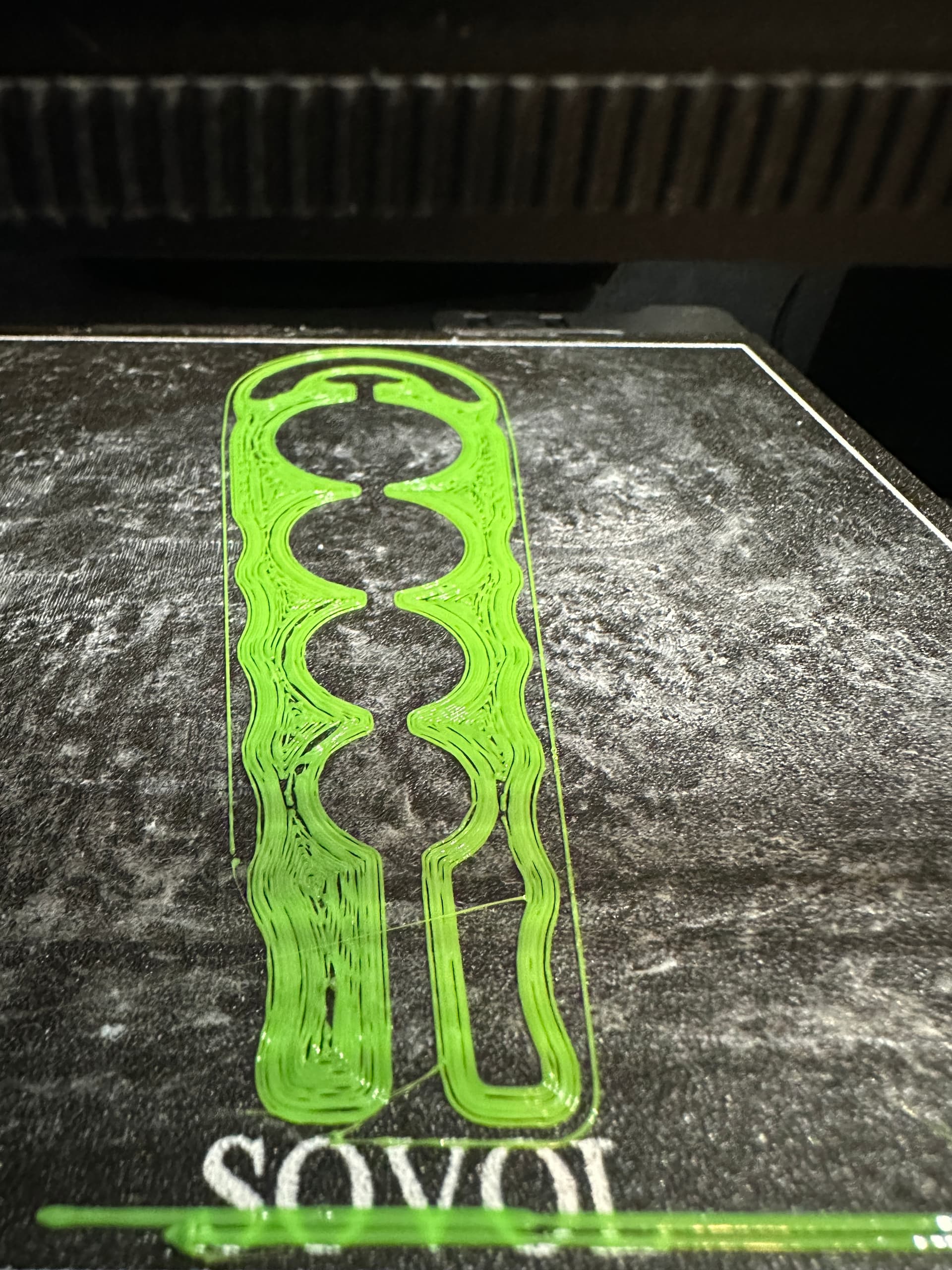
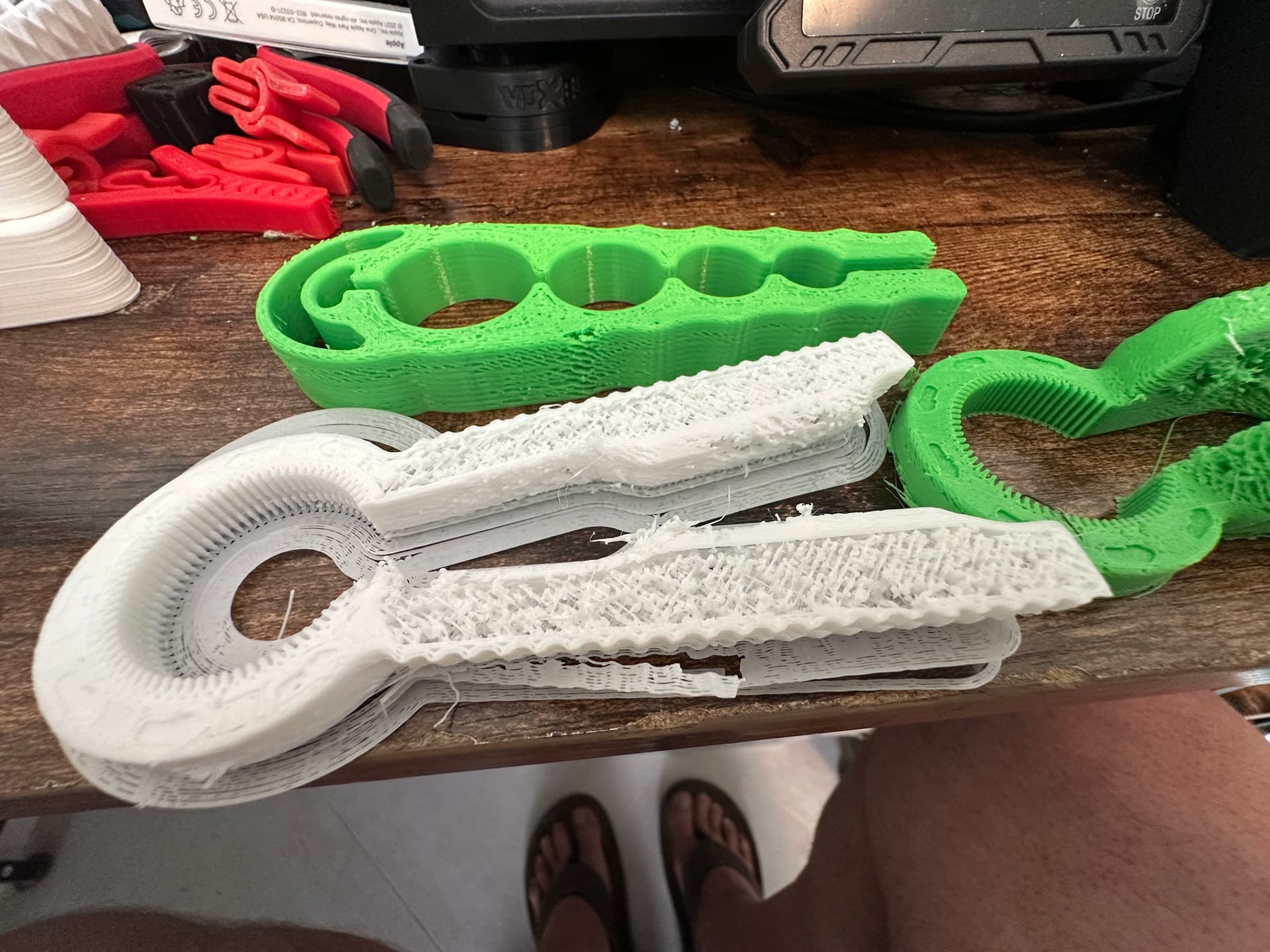
I have had my Zero for about 2 months now. I have had a few first layer issues, however if it gets past the first layer it has printed very well. Last week half away through a print, it started printing in chunks of filament. Looked like cottage cheese. Since then i have not been able to print anything.
So far i have tried 3 diffrent filaments from petg to pla. all filament were dried or new out of the package. the printer is in my office which is at about 16% humidity. At first i had thought it was wet filament but none of the others would print.
Next i changed the nozzles. Originally i was using a Microswiss CR2 .4mm nozzle. then changed to two diffrent harden steel factory nozzles.
Next I pulled the hotend thinking it was a block. It was tight and not clouged.
Next i pulled the extruder and all seemed normal and tight.
I am really at my whits end. I dont know what else to try or what could cause this?
Any help or suggestions would be greatly appreciated!
The last picture is the bottom of the printer. All the pieces are from the three prints that failed. So far with the printer I have never had any filament left in the printer.
Make sure the short shaft in the non-driven feed roller is centered
Inspect the PTFE tube for kinks, damage, or debris embedded in the inner wall.
If you don’t find a problem run the rotation distance distance calibration process measuring at the inlet to the extruder without the PTFE tube. Pay particular attention to smooth movement. DON’T change the value in printer.cfg, just see if you are close.
Are you absolutely sure the z height is correct for the first layer? I had to change it in the klipper code, as it was consistently too high. Resulted in similar behavior for me.