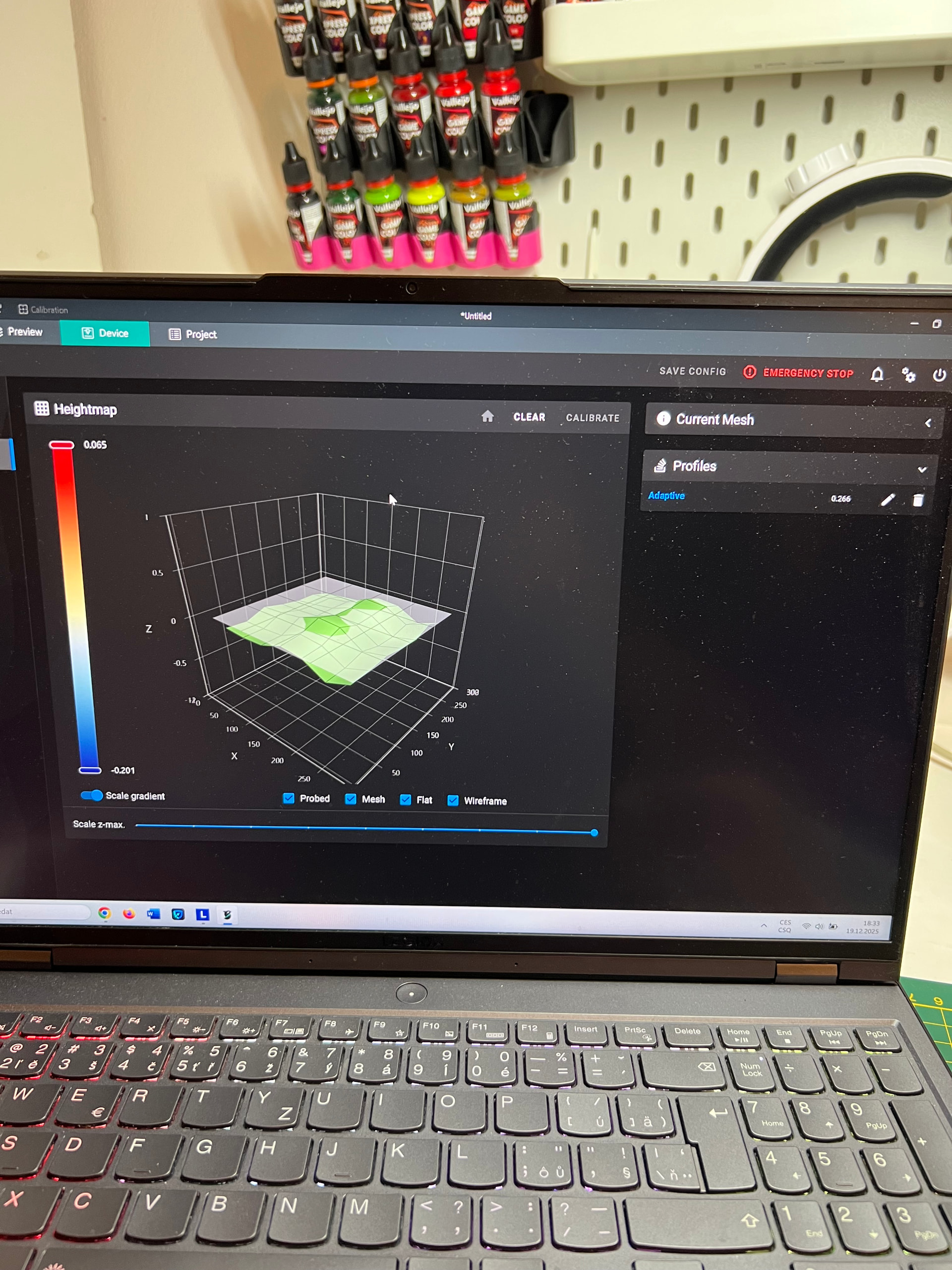
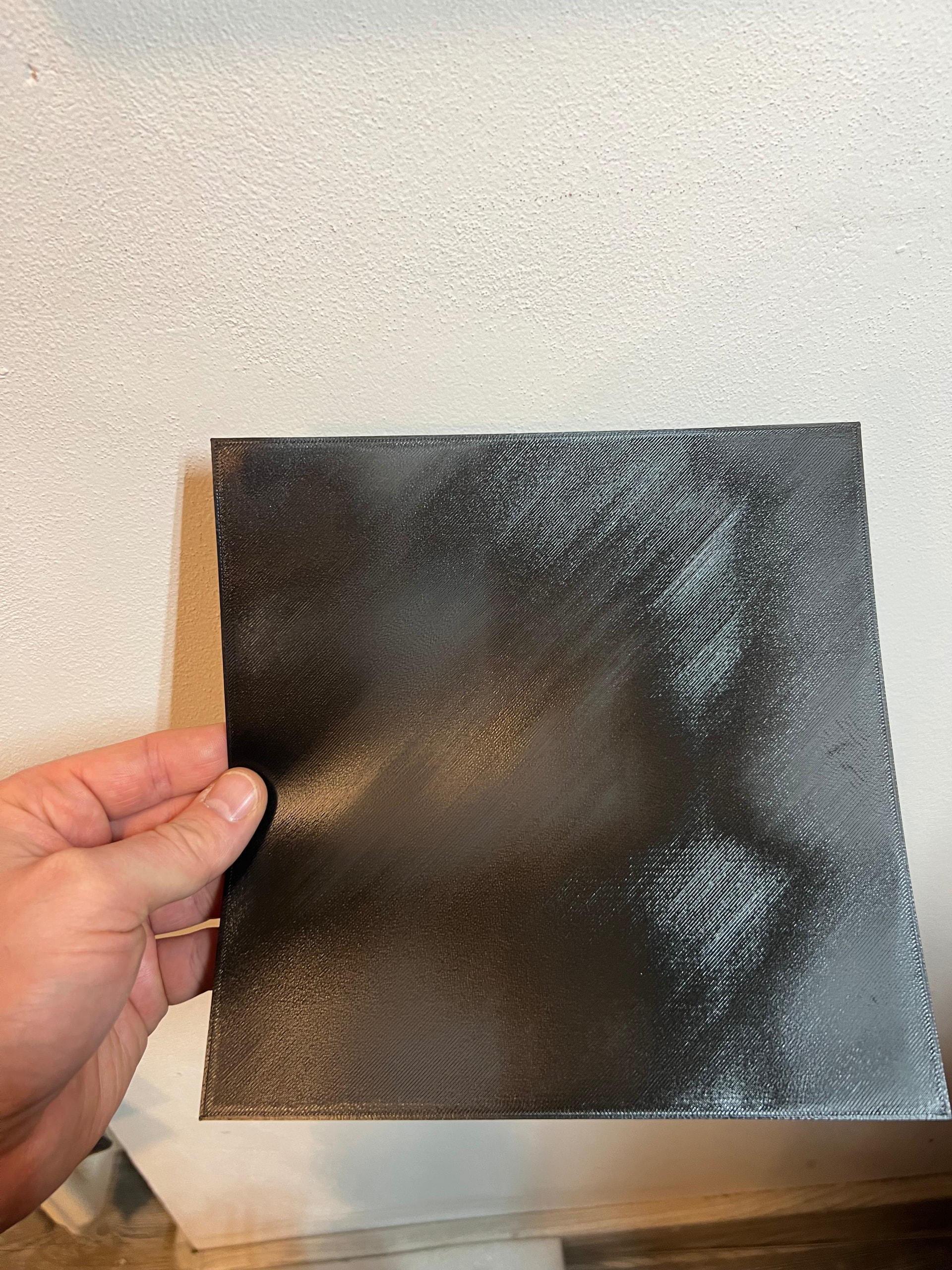
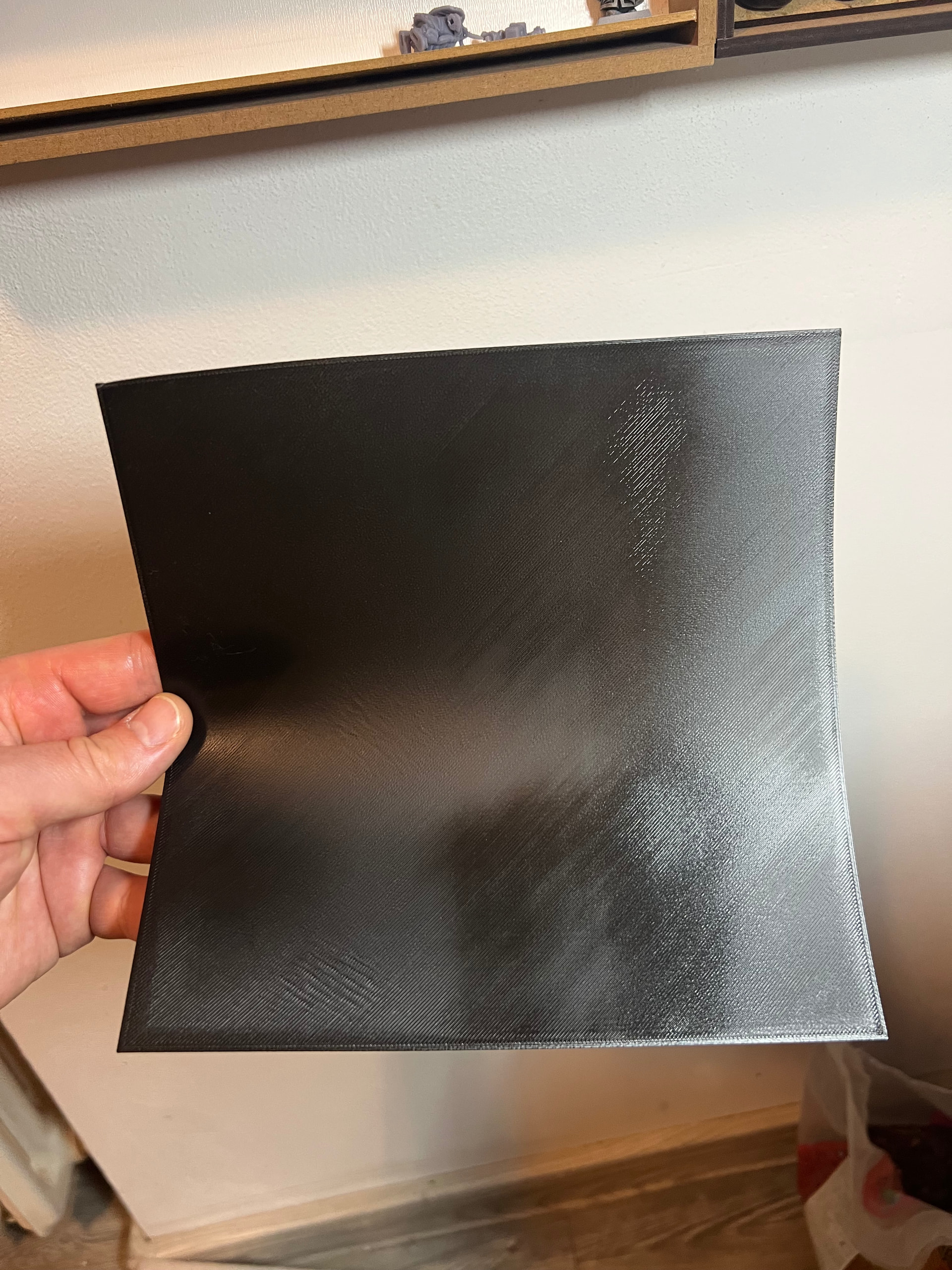
I have a problem with uneven first layer, on the first picture is when there are no wrinkles yet, and the second is after -0.01. Cant find what could be the problem. I have it before working just fine (nice even first layer) but than I had to disasemblw it and clean it thoroughly because it got heavy dusted
The photos of the sheets show some fairly localized high spots on your build surface. The mesh correction can’t really follow defects of this type unless you add MANY more points to the mesh.
First make sure the top of the magnet sheet is absolutely clean.
Then make sure that BOTH SIDES of the removable plate are absolutely clean. Verify the plate has no dents or bends.
If your problem persists you can either:
Edit your printer.cfg to increase the number of probe points in the mesh.
OR
Get a rigid FLAT sanding block and sand down the high spots on the top of your magnet sheet.
Magmetic sheet looks ok, no dmg and it looks flat af i can see and feel, and I dont know how many times I had already clean it so should I incerase probe points? Thanks



 so should I incerase probe points? Thanks
